Booster
Essentials
The Audiotool Booster is a native companion app that runs the audio engine locally while you work in the browser.
It also hosts the Spitfire LABS plugin, enabling VST3 integration within Audiotool Studio.
Installation
Download on Google DriveWindows
Download the
.exefileExecute by double clicking the file
macOS
Download and extract the zip file containing the
.appfile, based on your architecture (Intel or Apple Silicon).Execute by double clicking the file
Linux
Download and extract the zip file containing the AppImage
Mark file as executable:
chmod +x <booster-file>.AppImageLaunch the app:
./<booster-file>.AppImage
Getting Spitfire LABS
Note: Spitfire LABS is not supported on Linux.
Download and install the Spitfire LABS plugin from the Spitfire Audio website
Restart the Booster
Open an Audiotool DAW session
Drag the Spitfire LABS device from the Device Browser into your timeline
Double click the LABs device to open the LABs plugin window.
Connecting to Audiotool
The Booster is ready to connect when it looks like this:
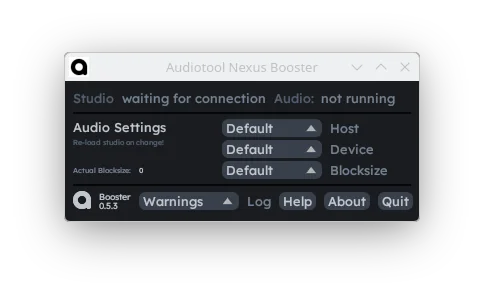
A session in the Audiotool DAW will try to connect to the Booster on startup. If you already have the DAW open, reload the tab.
If the connection is successful, you can see the following icon in the bottom right of the DAW:
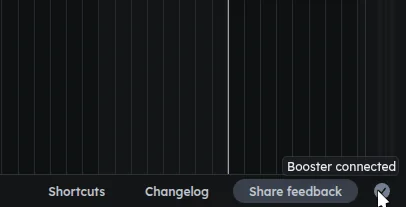
And the Booster will look like this:
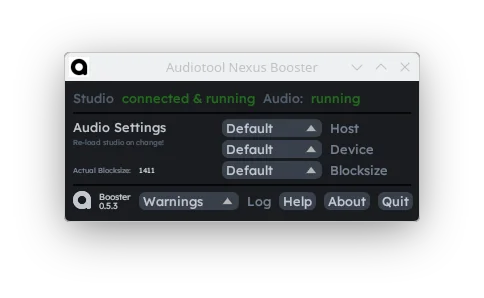
Note that an instance of the Booster can only connect to one session at a time.
Troubleshooting
Latency Issues |
You can potentially reduce general recording- and input latency by choosing the correct settings in the
Audio recording latency can be worse with the Booster than without, even with ideal block size and input latency correction. We’re working on this issue. |
|---|---|
Booster not detected |
The Booster can connect to at most one Audiotool DAW session at a time, and the DAW will only attempt connection on startup. If restarting the Booster and the DAW doesn’t help, please submit a bug report! |
Linux Audio Issues |
The Booster currently requires Jack, ALSA, or PulseAudio to be installed. The best latency is achieved with Jack. If you use PipeWire, you can use wrappers such as |
LABs plugin state synchronization |
The LABs plugin state is synchronized between all clients in a multi-user session. However, the plugin is currently only audible on clients that have a connected Booster with the LABs plugin installed. This will be addressed in future updates - stay tuned! |