Devices
Essentials
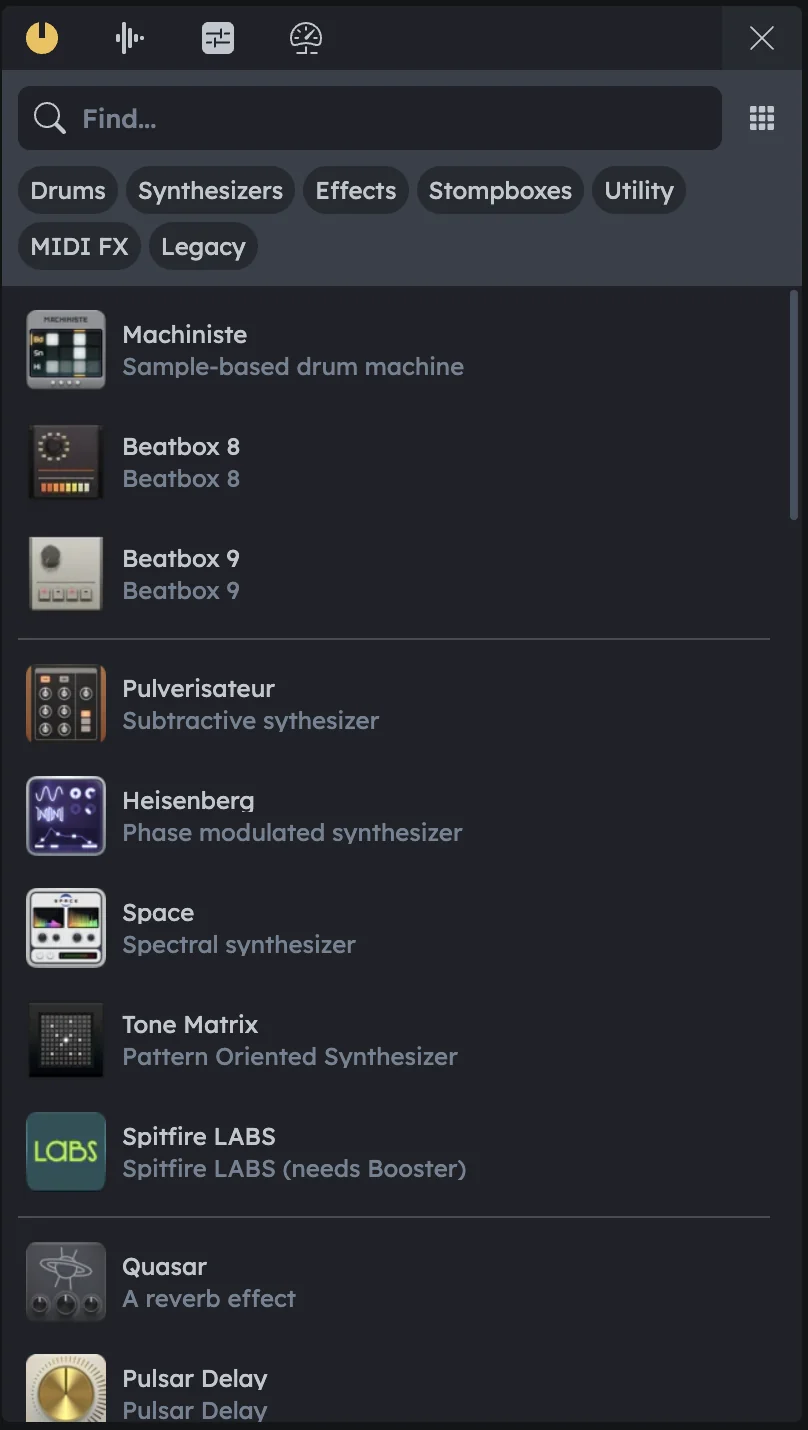
Device Browser gives you access to all available devices: synthesizers, drum machines, effects, utilities, and more. Part of the Library panel, it’s where you bring instruments and processors into your project. Drag devices directly to the Timeline or Studio to add them.
All Audiotool devices in one place
Grid and list view modes
Category organization (Drums, Synthesizers, Effects, etc.)
Direct drag-and-drop to Timeline or Studio
Opening the Device Browser
Location |
The Device Browser is the first tab in the Library panel. |
|---|---|
View modes |
It supports two view modes: - Grid View (icons only). - List View (icons with names and short descriptions). |
Switch views |
Use the toggle in the top-right corner of the panel to switch between views. |
Categories
Devices are grouped into categories for quick navigation:
Drums |
Drum machines like Beatbox 8, Beatbox 9, and Machiniste. |
|---|---|
Synthesizers |
Instruments such as Pulverisateur, Heisenberg, and Space. |
Effects |
Audio processors like Quasar (reverb) or Pulsar Delay. |
Stompboxes |
Guitar-style effect pedals. |
Utility |
Signal flow tools like splitters and combiners. |
MIDI FX |
Devices that process MIDI before it reaches instruments. |
Legacy |
Older Audiotool devices kept for compatibility. |
Search
Find bar |
Use the Find bar at the top to locate any device by name. |
|---|---|
Filters |
Filters (tags like Drums, Synthesizers, Effects, etc.) narrow the list further. |
Adding Devices
Synths and Drum Machines |
Drag them directly into the Timeline to create a new track. |
|---|---|
Effects (FX) |
Drag them onto an existing instrument track in the Timeline to add them to the device chain. |
Studio Workspace |
You can also drop devices into the Studio to build and patch setups manually. |
Example Workflow
Add synthesizer |
Drag Pulverisateur into the Timeline → instantly creates a Note Track ready to record MIDI. |
|---|---|
Add drum machine |
Drag Beatbox 9 into the Timeline → creates a Note Track for programming beats. |
Add effect |
Drag Quasar onto a Pulverisateur track → adds reverb directly to the synth. |