Beatbox 9
Essentials
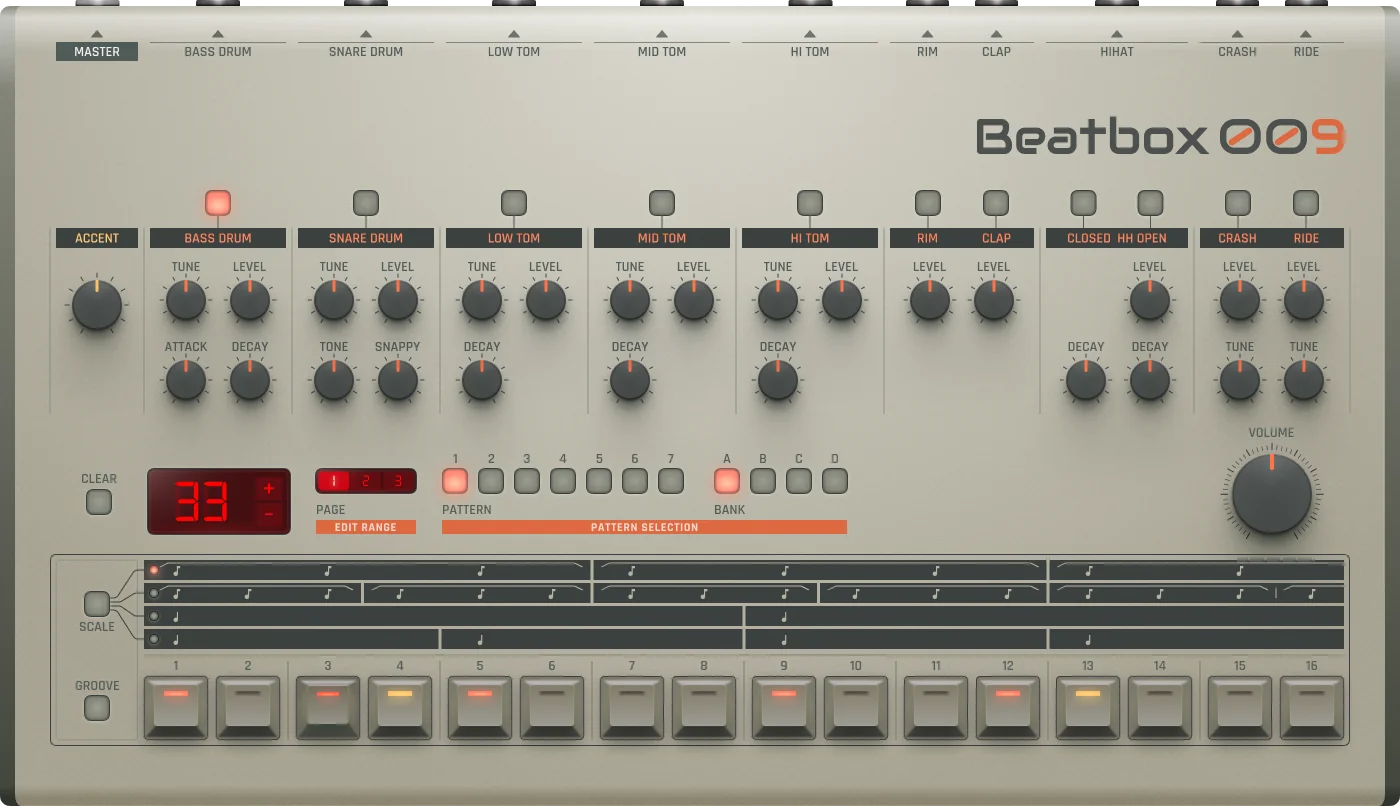
Beatbox 9 is a classic-style analog drum machine with 12 built-in drum voices and a hands-on step sequencer. Shape punchy, vintage rhythms quickly—no samples required.
12 built-in drum voices
Hands-on step sequencer
Classic analog-style sounds
No samples required
Making a Beat
Beatbox 9 is a classic-style drum machine. Inspired by vintage analog rhythm boxes, it uses built-in drum sounds and gives you hands-on control over every detail of your beat.
Select Sound: Press a drum button to select the sound (e.g., Bass Drum).
Place Kick: Press steps 1, 5, 9, 13 for a simple 4/4 kick pattern.
Add Snare: Add Snare Drum on steps 5 and 13.
Add Hats: Add Hi-Hats on every step for steady rhythm.
Play: Press Play and enjoy your loop.
Pattern Editor
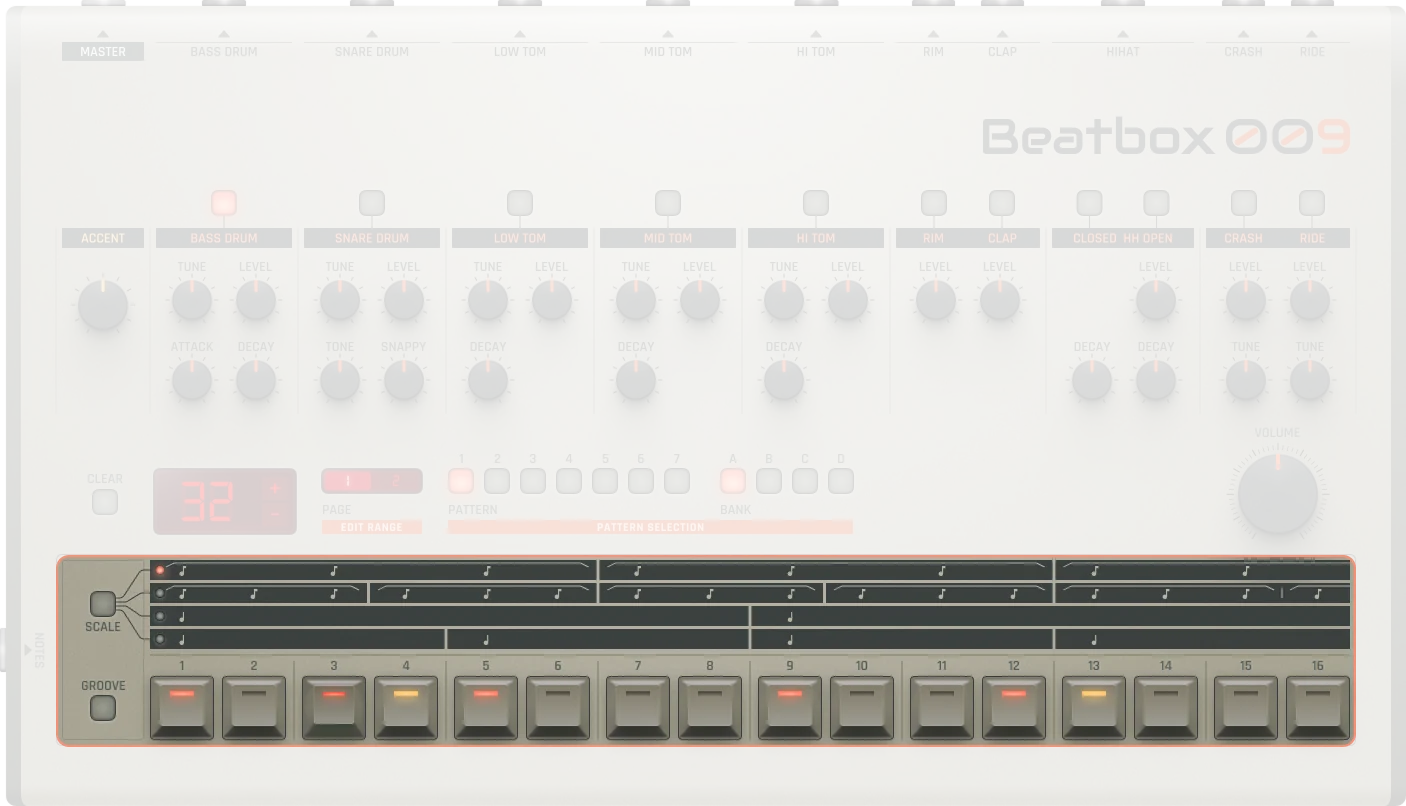
Scale |
Timing scale options:
|
|---|---|
Sequencer |
16 buttons, each button has a corresponding position in the sequence. Up to 64 steps total |
Groove |
Every pattern can have a groove applied individually for swing and timing variations |
Pattern Management
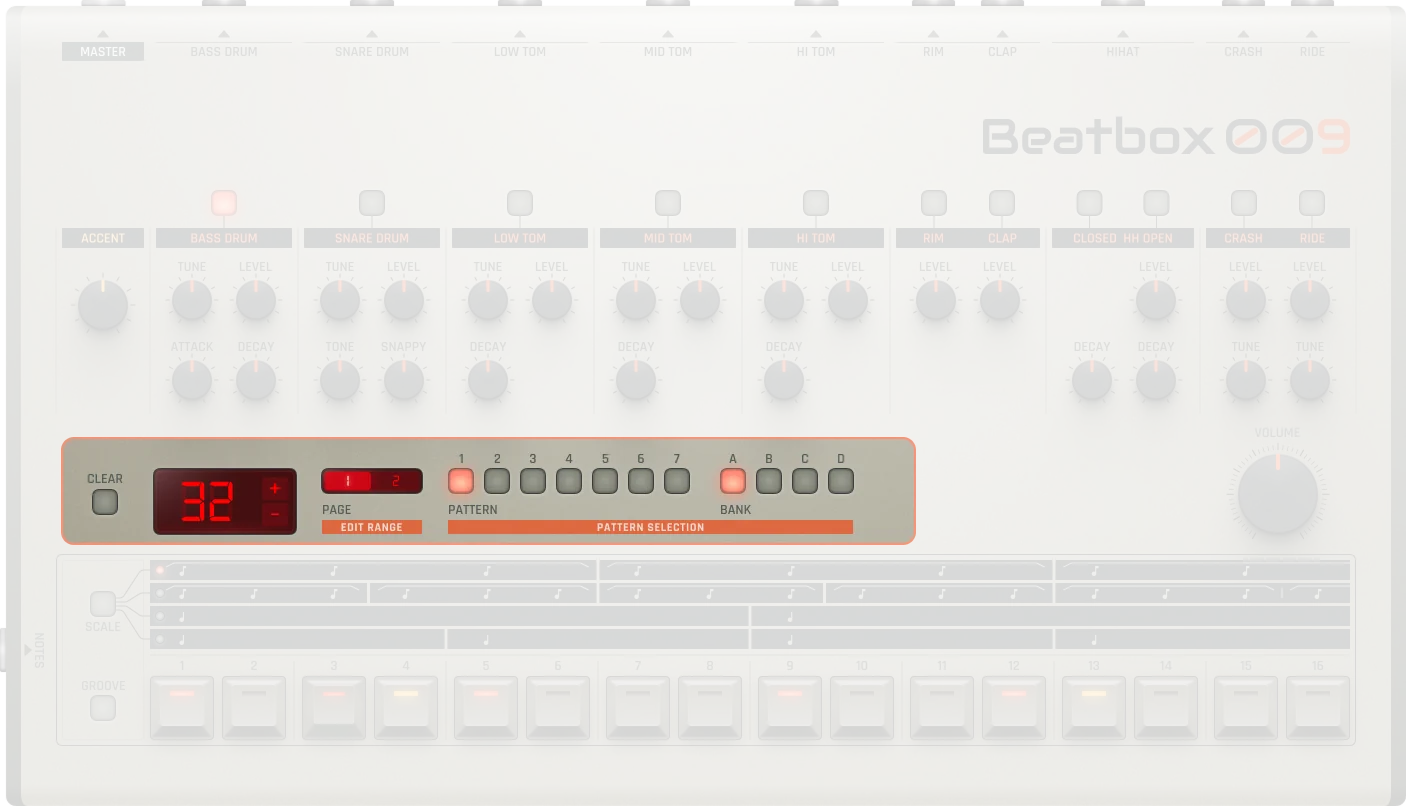
Clear |
Will clear the currently selected pattern |
|---|---|
Pattern length |
Displays the length of your sequence |
Pattern +/- |
Allow for the length of your sequence to be increased or decreased (Hold Shift to double/half steps) |
Paging / Edit Range |
Allows navigating through different pages or edit ranges of the pattern. The pattern editor has 16 steps. |
Current Pattern |
Determines which pattern from your currently selected pattern bank you want to work on (0-7) |
Pattern bank |
Allows for toggling through the device’s different pattern banks (A, B, C, D). Each bank contains 7 patterns (28 total patterns) |
Master
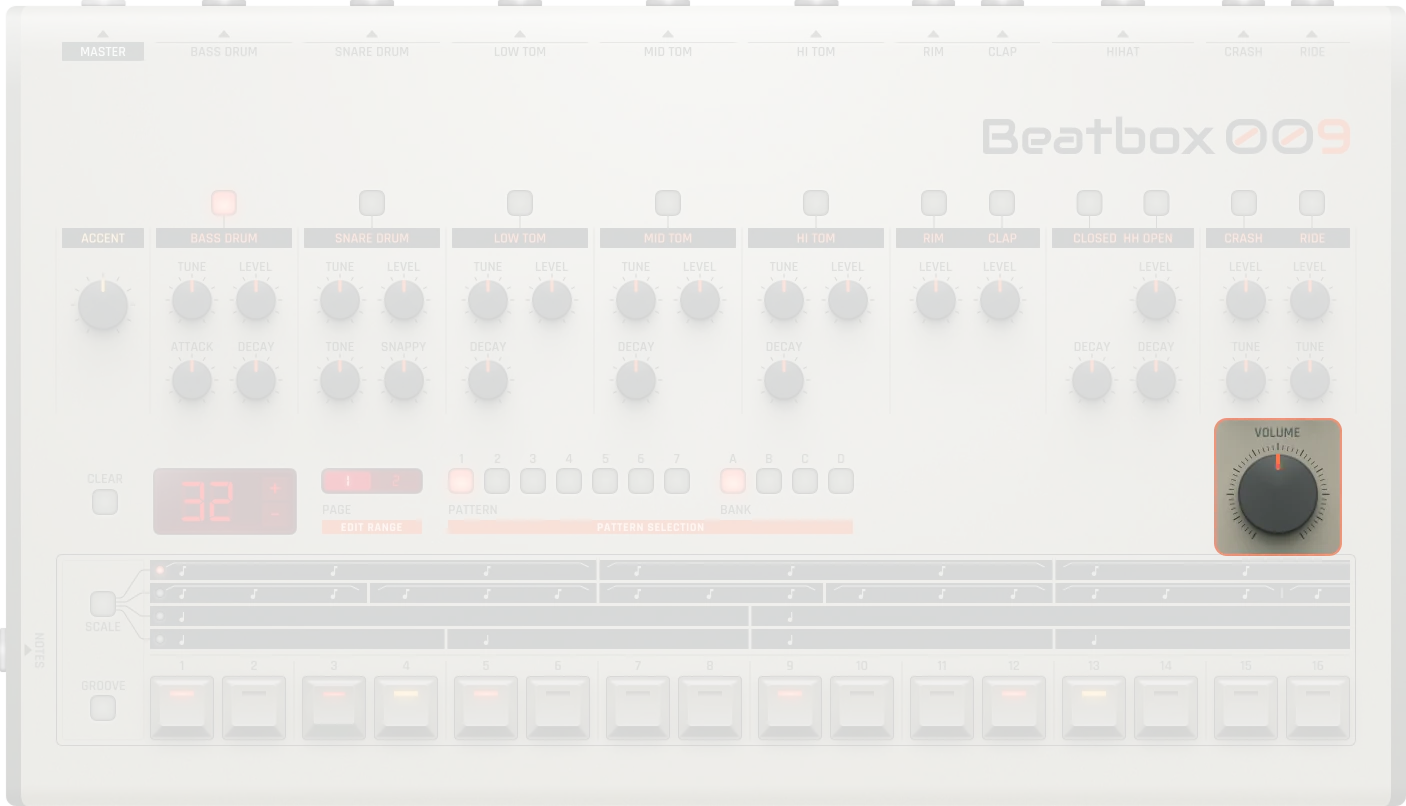
Volume |
Master output gain for the entire device. Equivalent to a dB range of -∞ to 0 dB (0-100%) |
|---|---|
On/Off |
Activates or bypasses the device . When off, no sound is produced |
Drum Sounds
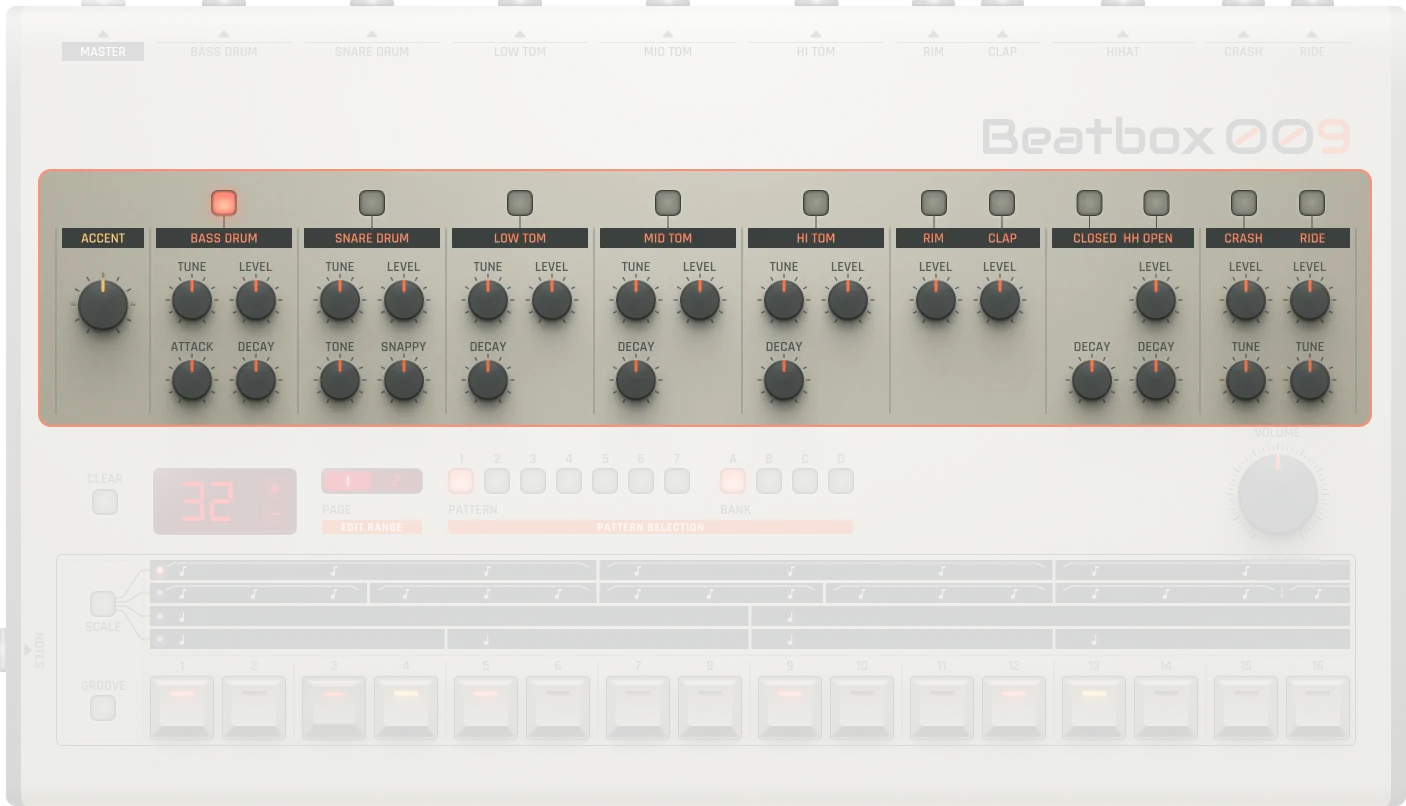
Beatbox 9 features 12 fixed drum sounds, each with dedicated knobs for pitch, decay, level, and other parameters.
Accent
Accent |
The accent feature allows for emphasis to be placed under selected steps in the sequence |
|---|---|
Accent Amount |
Sets the loudness of unaccented notes (0-100%). Lower values make unaccented notes quieter, higher values make them louder |
Apply accent |
Press Accent and press a step to apply accent to that step |
Bass Drum
Attack |
Attack time for the bass drum (0-100%). Lower values create shorter attack, higher values create longer attack |
|---|---|
Decay |
Decay time for the bass drum (0-100%). Lower values create shorter decay, higher values create longer decay |
Tone |
Bass drum tone/pitch (0-100%). Higher values make it sound higher |
Gain |
Bass drum output gain. Equivalent to a dB range of -∞ to 0 dB (0-100%) |
Snare Drum
Tone |
Snare drum tone/pitch (0-100%). Higher values make it sound higher |
|---|---|
Snappy |
Snare snappiness, corresponding roughly to the amount of high-frequency content (0-100%) |
Gain |
Snare drum output gain. Equivalent to a dB range of -∞ to 0 dB (0-100%) |
Toms (Low/Mid/High)
Tune |
Tom tuning/pitch (0-100%). Higher values make it sound higher |
|---|---|
Decay |
Decay time for the tom (0-100%). Lower values create shorter decay, higher values create longer decay |
Gain |
Tom output gain. Equivalent to a dB range of -∞ to 0 dB (0-100%) |
Rimshot
Gain |
Rimshot output gain. Equivalent to a dB range of -∞ to 0 dB (0-100%) |
|---|
Hand Clap
Gain |
Hand clap output gain. Equivalent to a dB range of -∞ to 0 dB (0-100%) |
|---|
Hi-Hats
Closed Decay |
Closed hi-hat decay time (0-100%). Lower values create shorter decay, higher values create longer decay |
|---|---|
Open Decay |
Open hi-hat decay time (0-100%). Lower values create shorter decay, higher values create longer decay |
Gain |
Hi-hat output gain. Equivalent to a dB range of -∞ to 0 dB (0-100%) |
Crash
Tune |
Crash tone/pitch (0-100%). Lower values make it sound lower, higher values make it sound higher |
|---|---|
Gain |
Crash output gain. Equivalent to a dB range of -∞ to 0 dB (0-100%) |
Ride
Tune |
Ride tone/pitch (0-100%). Lower values make it sound lower, higher values make it sound higher |
|---|---|
Gain |
Ride output gain. Equivalent to a dB range of -∞ to 0 dB (0-100%) |
Practical Tips
Practical Tips
Use multiple pages for fills or variations
Combine Groove and Accent for variation
Chain patterns for full songs
Tweak parameters live for expression
Perfect for 80s, electro, techno, house, and hip-hop styles