Waveshaper
Essentials
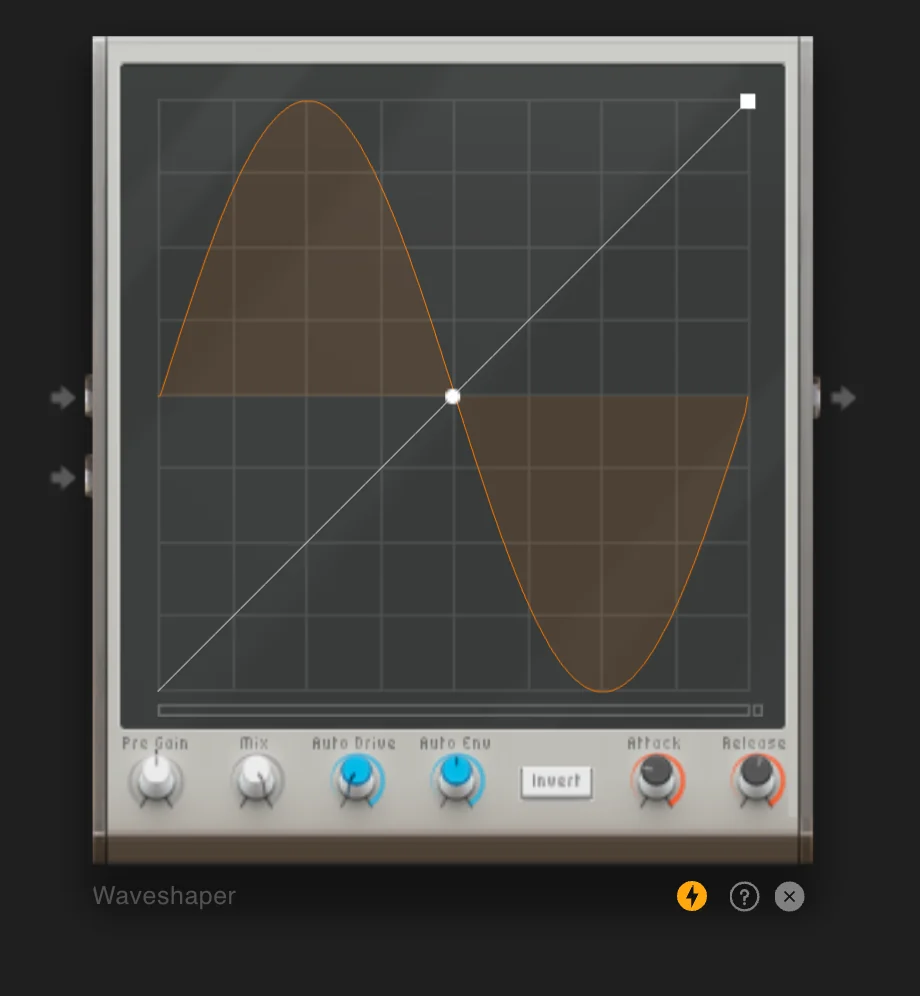
Waveshaper lets you draw a transfer curve to design distortion, with Input/Output gain and Mix for parallel processing. Draw your own transfer function for precise control over harmonic content and character. Perfect for creating unique distortion shapes, adding harmonics, or extreme sound design.
Drawable transfer curve
Input/output gain controls
Mix for parallel processing
Precise control over distortion character
Create unique distortion shapes and harmonics
Controls
On/Off |
Activates or bypasses the waveshaper effect |
|---|---|
Curve Editor |
Design the transfer curve; drag points to reshape; double‑click to add/remove anchor points |
Gain (Input/Output) |
Drive input harder for more distortion; use output to level-match |
Mix |
Blend dry/wet for parallel distortion (0-100%) |
Practical Tips
Practical Tips
Smooth curve; soft edges.
Flat top/bottom for digital clipping.
Sharp bends/steps for glitch textures.
Low Mix to preserve dynamics.