Machiniste
Essentials
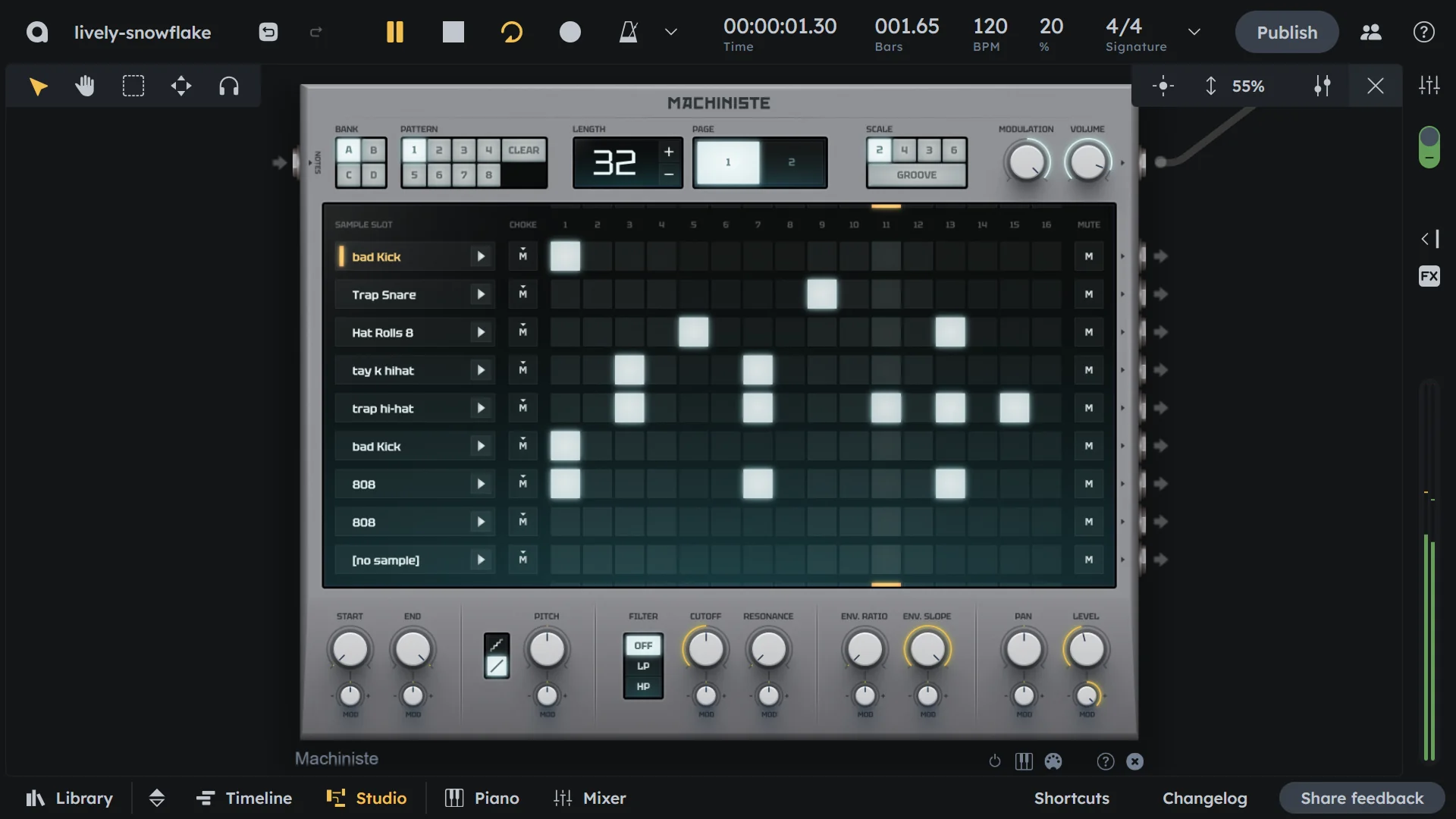
Machiniste is a sample-based drum machine with up to 9 slots, a 16-step sequencer, per-slot sound editing, and performance features like choke groups and shuffle. Load your own samples or use library samples, then program beats quickly. Perfect for custom drum kits and sample-based rhythms.
Up to 9 sample slots (load your own or use library samples)
16-step sequencer
Per-slot sound editing
Choke groups and shuffle
Great for custom drum kits and sample-based rhythms
Loading in Samples
Getting samples into your Machiniste is easy! Here’s the step-by-step process:
Double‑click any sample slot in the Machiniste.
The sample browser will open — preview different samples by clicking on them or using the up/down arrow keys to navigate.
Once you’ve found the sample you want, double‑click it or press Enter/Return to load it.
Useful to know
Right‑click on a slot and select “Search Samples” to open the browser
Open the sample browser first, then drag and drop any sample directly into a slot
Replace an existing sample by dropping a new one on top of it
And of course, you can always right‑click on the device and select “Load Preset” to find entire kits with and without patterns
Global Controls
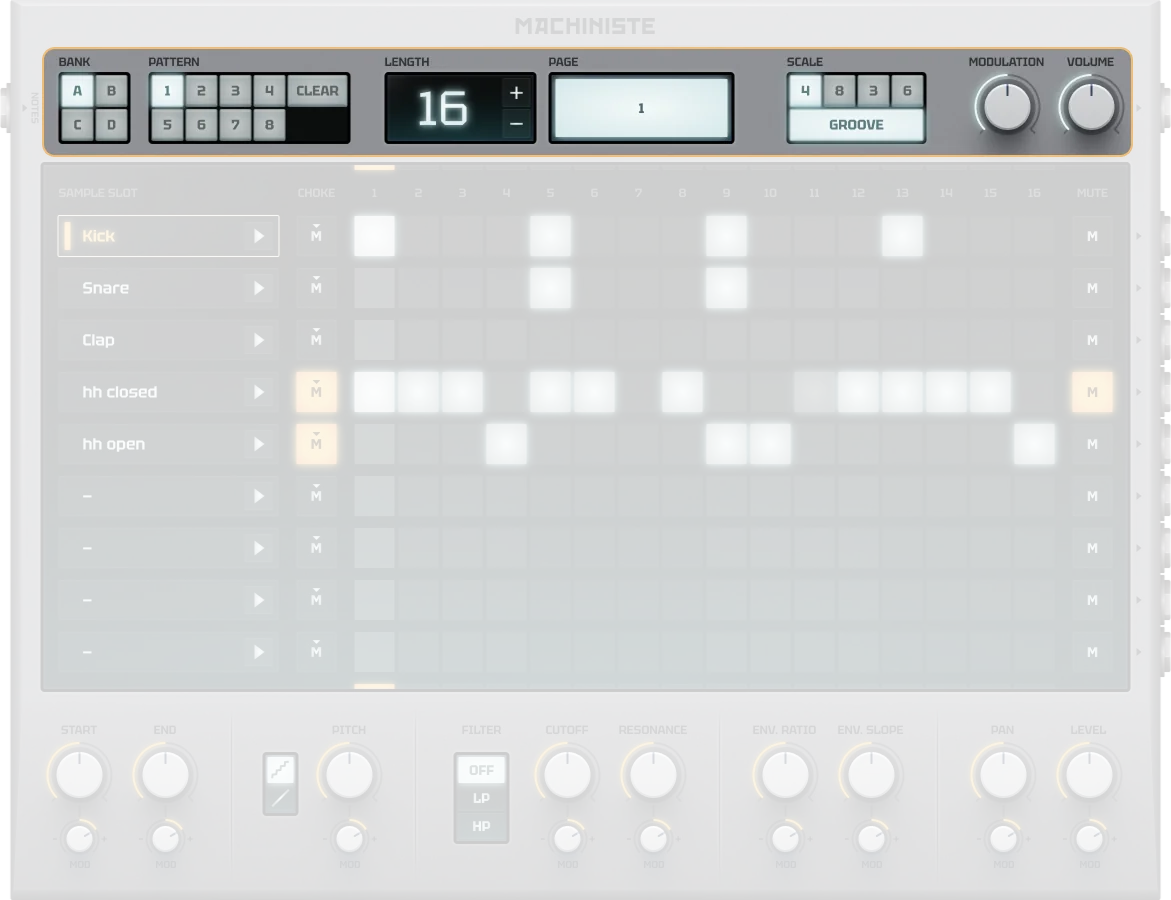
Pattern Bank |
4 pattern banks (A, B, C, D) with 8 patterns each (32 total patterns) |
|---|---|
Pattern |
Select pattern index (0-31). Determines which pattern the Machiniste currently plays back, unless a pattern track is connected |
Length |
Set pattern length from 1-128 steps (use +/- buttons, hold Shift to double/half) |
Page |
Navigate through different segments when pattern is longer than 16 steps |
Scale |
Select timing scale (includes 16th, 8th triplet, etc.) |
Modulation |
Global modulation depth affecting all parameters across all channels (-100 to 100%) |
Volume |
Master output gain for the entire device. Equivalent to a dB range of -∞ to 0 dB (0-100%) |
On/Off |
Activates or bypasses the device. When off, no sound is produced |
Slots & Pattern Editor
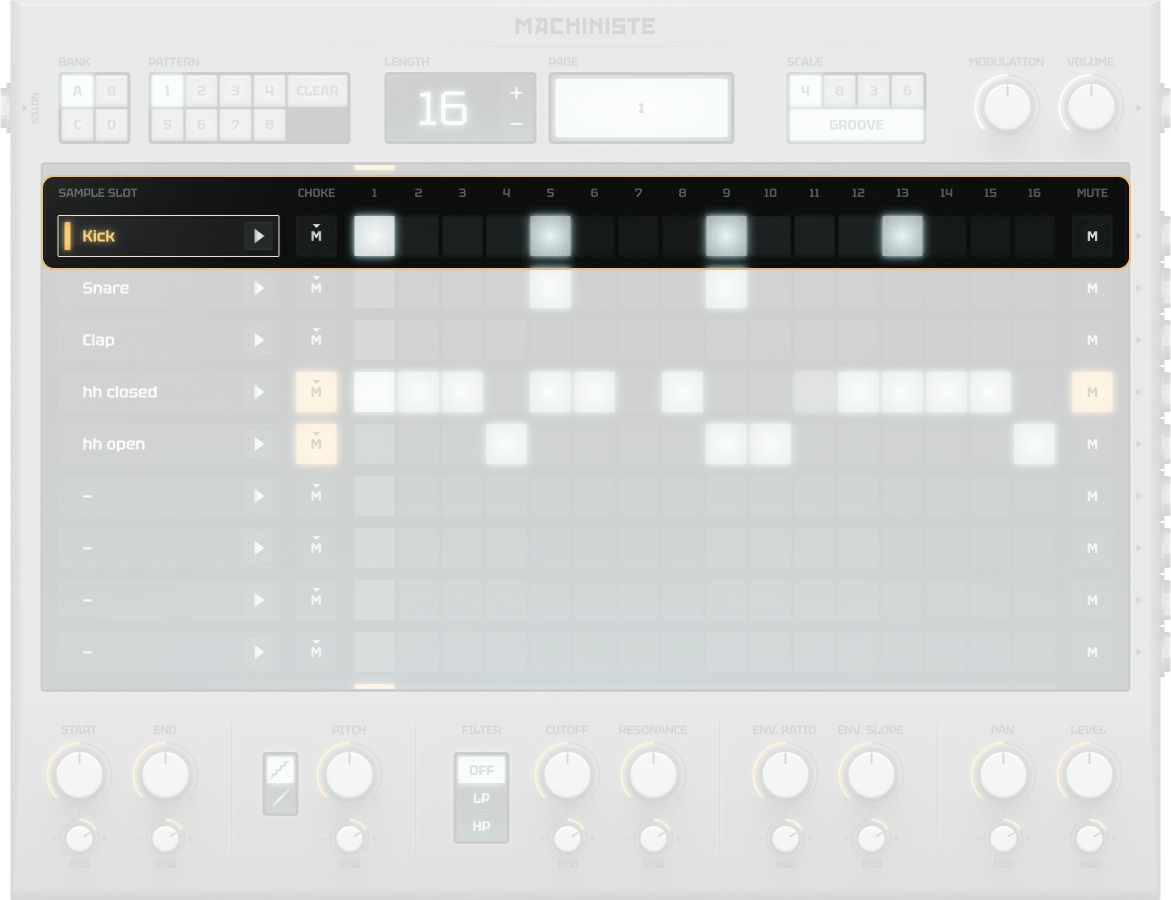
Sample Slot |
Up to 9 slots for loading one-shot samples (drag from sample browser) |
|---|---|
Choke |
Exclusive groups prevent overlapping hits (only highest channel plays) |
Pattern Steps |
Click grid to activate steps, drag up/down to set modulation value (0-100%) which in most cases will impact the velocity or volume of the hit (depending on preset and configuration) |
Mute |
Individual channel mute controls (pattern-specific, not automatable) |
Slot Controls
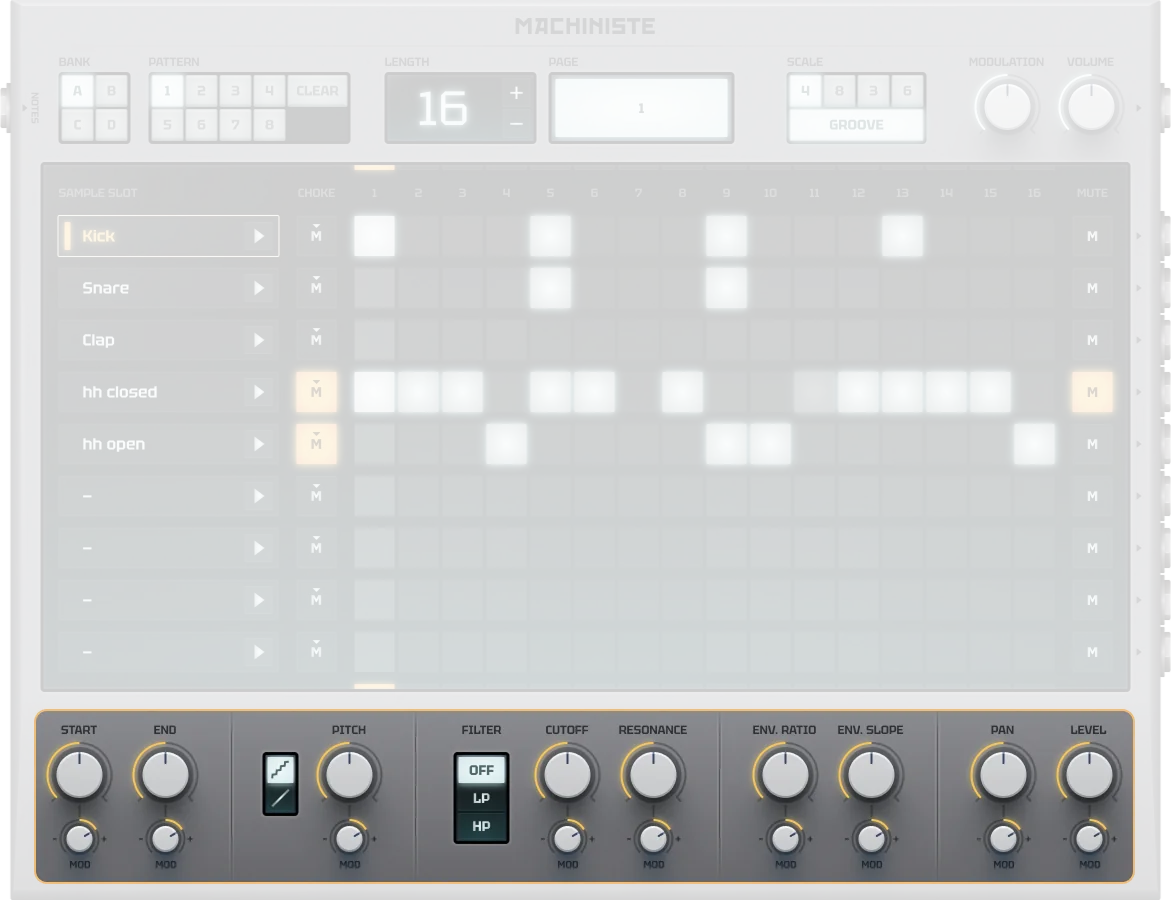
Start |
Sample start position in % of sample length (0-100%). 0% = start at beginning, 100% = start at end. If start > end, sample plays backwards |
|---|---|
End |
Sample end position in % of sample length (0-100%). 0% = end at beginning, 100% = end at end. If start > end, sample plays backwards |
Pitch |
Tune the sample by semitones (-24 to +24 semitones). For example, -12 detunes by 1 octave (plays at half speed), +12 tunes up by 1 octave (plays at double speed) |
Filter |
Filter type selection (No filter, Low-pass, or High-pass) |
Cutoff |
Filter cutoff frequency (28-12000 Hz) |
Resonance |
Filter resonance for emphasis (0-100%) |
Envelope Ratio |
Point during sample playback where amplitude peaks, in % of sample length (0-100%). 0% = peak at start |
Envelope Slope |
Steepness of the envelope curve (-100 to 100%). 0% = linear, -100% = slopes up, 100% = slopes down |
Pan |
Stereo panorama control (-100 to 100). -100 = fully left, 0 = centered, 100 = fully right |
Level |
Output gain for the channel. Equivalent to a dB range of -∞ to 0 dB (0-100%) |
Modulation Depth Parameters
Each slot control parameter has a corresponding modulation depth control that determines how much that parameter varies based on step sequencer modulation values. All modulation depth parameters share the same range and behavior:
Start Modulation |
Modulation depth for start position (-100 to 100%) |
|---|---|
End Modulation |
Modulation depth for end position (-100 to 100%) |
Pitch Modulation |
Modulation depth for pitch/tune (-100 to 100%) |
Cutoff Modulation |
Modulation depth for filter cutoff (-100 to 100%) |
Resonance Modulation |
Modulation depth for filter resonance (-100 to 100%) |
Envelope Ratio Modulation |
Modulation depth for envelope peak ratio (-100 to 100%) |
Envelope Slope Modulation |
Modulation depth for envelope slope (-100 to 100%) |
Pan Modulation |
Modulation depth for panning (-100 to 100%) |
Level Modulation |
Modulation depth for gain/level (-100 to 100%) |
Want more variation in your beats? Use modulation!
Set the given parameter knob to the desired start value.
Set the modulation range with the small modulation knob below the parameter knob.
The parameter will now automatically change between the start and end values based on the modulation set in the step sequencer.
Using Modulation
Modulation in the Machiniste allows you to create dynamic, evolving beats by automatically changing parameters for each step in your sequence. Each parameter has its own modulation control that determines how much that parameter will vary based on the modulation values you set in the step sequencer.
The modulation system works by multiplying three factors: the global modulation depth, the parameter’s modulation depth, and the step’s modulation value. This combined “mod amount” then affects the parameter value. For positive modulation: mod amount × (1 - parameter value) + parameter value. For negative modulation: mod amount × parameter value + parameter value.
For example, if you set the Level parameter to 50% and the Level modulation to +50%, steps with 100% modulation will play at 75% volume (50% + 50% of the remaining range).
Select the channel you want to modulate by clicking on it in the channel list.
Set the main parameter knob to your desired starting value.
Adjust the small modulation knob below the parameter to set the modulation range.
Click on steps in the sequencer grid to activate them.
Drag up or down while clicking to set each step’s modulation value (0-100%).
The parameter will now vary automatically based on each step’s modulation value.
Examples:
Level Modulation: Set Level to 30% and modulation to +70%. Steps with 100% modulation will play at full volume, while steps with 0% modulation will play at 30% volume.
Pitch Modulation: Set Pitch to 0% and modulation to +100%. Steps with 100% modulation will play 2 octaves higher, creating melodic variations.
Filter Cutoff: Set Cutoff to 50% and modulation to -50%. Steps with 100% modulation will have a darker sound, while steps with 0% modulation maintain the original brightness.
Pro Tip
Steps with 0% modulation are completely unaffected by modulation settings
Use the Global Modulation Depth to scale all modulation across all channels
Try modulating Start/End positions for creative sample chopping effects
Combine multiple modulated parameters for complex, evolving rhythms
Practical Tips
Practical Tips
Keep it simple: 3–4 sounds are enough for a great beat.
Use Mute to focus on one sound.
Use Choke for realistic overlapping.
Apply Groove for swing.
Make multiple patterns and switch live.