Pulsar (Delay)
Essentials
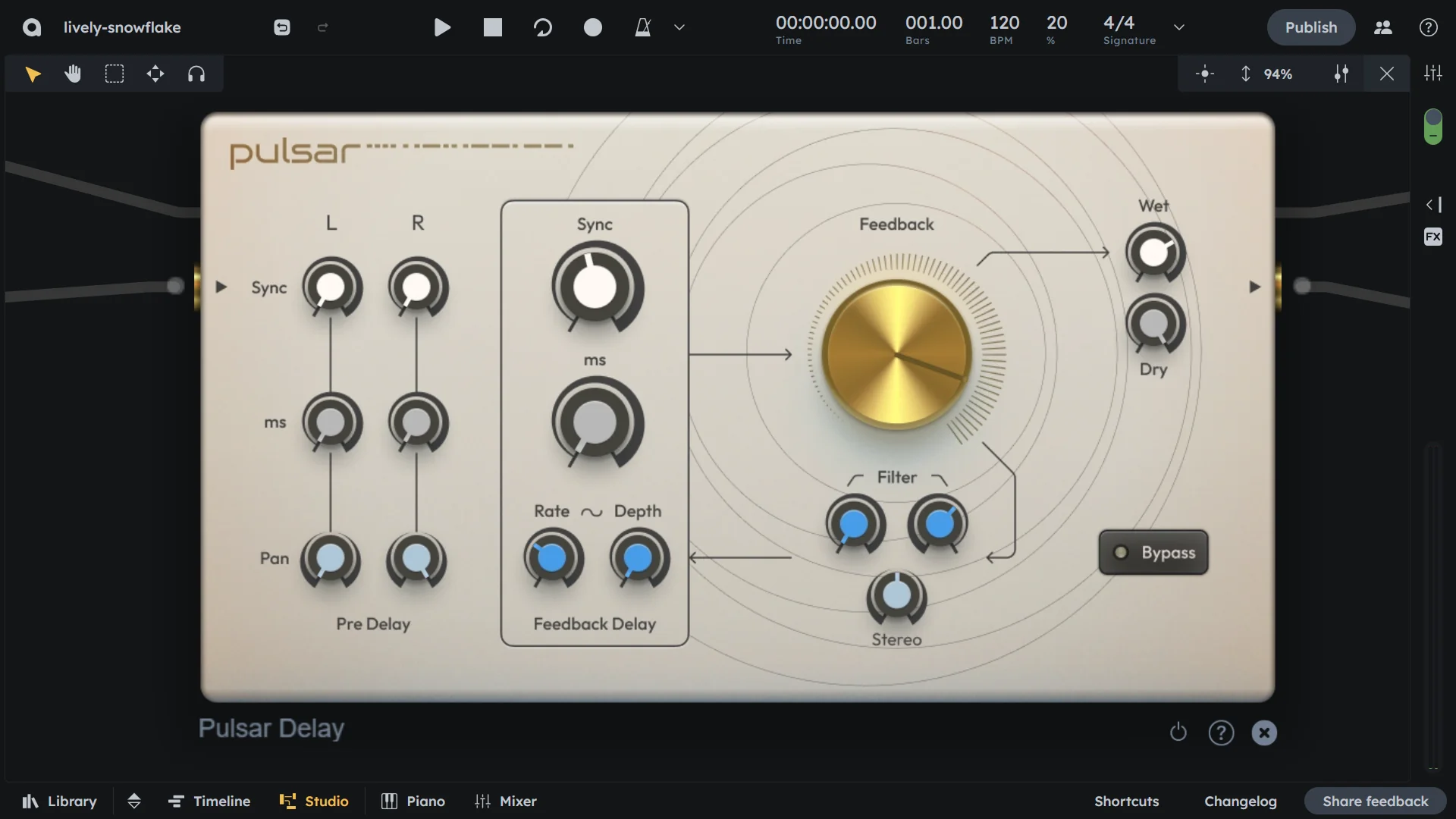
Pulsar is a stereo delay effect designed for rhythmic, spatial, and creative audio manipulation. Combines two independent pre-delay paths (left and right) with a synchronized feedback delay circuit, LFO modulation, filter section, stereo cross-swapping, and wet/dry mixing. Perfect for wide stereo delays, rhythmic patterns, and creative spatial effects.
Independent left/right pre-delay paths with individual panning
Shared feedback delay circuit with LFO modulation
Filter section (highpass and lowpass)
Stereo cross-swapping in feedback loop
Comprehensive wet/dry mixing
Pre-delay
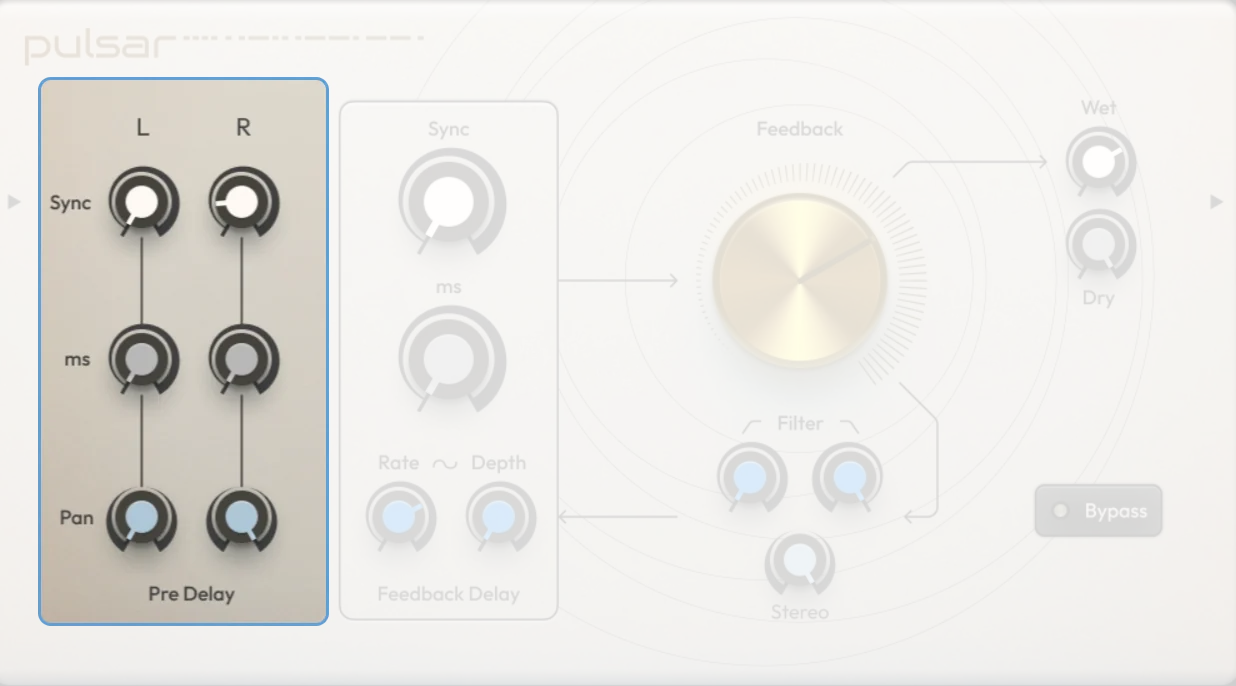
Sync (L/R) |
When enabled, each channel’s pre-delay time syncs to the project tempo |
|---|---|
ms (L/R) |
Sets the delay time for each channel in milliseconds (0-500 ms, if Sync is off) |
Pan (L/R) |
Positions each pre-delay in the stereo field independently (-100 = fully left, 0 = center, 100 = fully right) |
Feedback delay
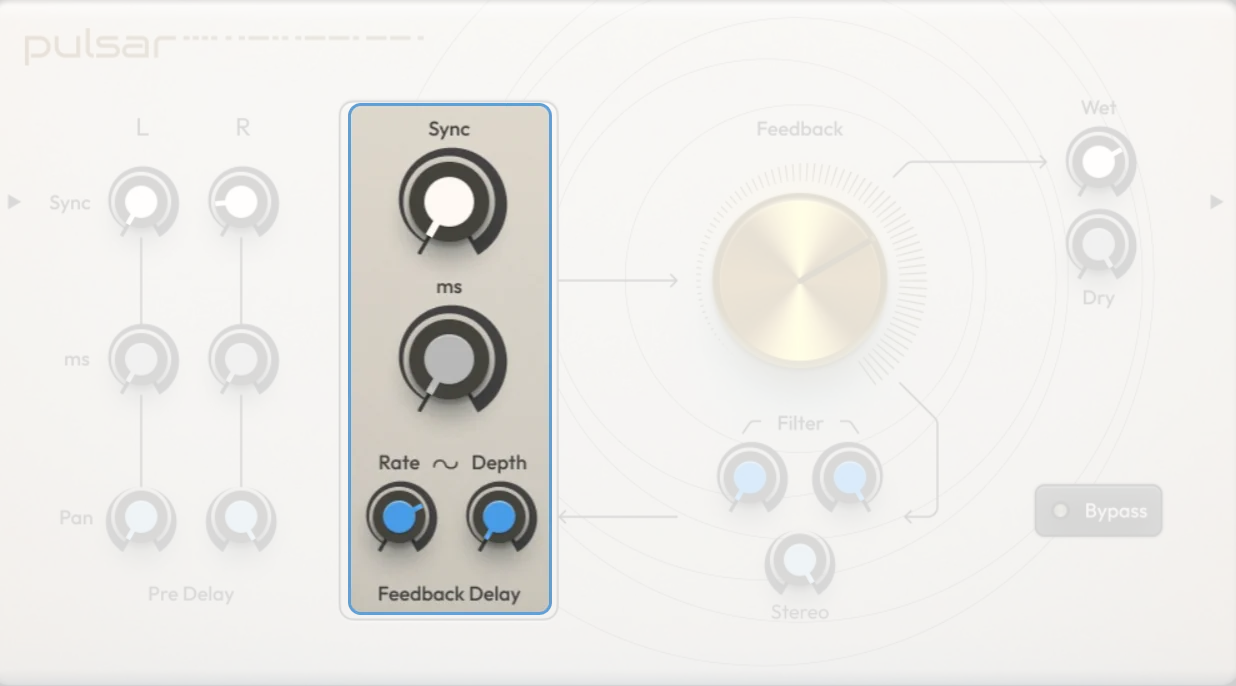
Sync |
Syncs the feedback delay time to the project tempo |
|---|---|
ms |
Manual control of feedback delay time when sync is disabled (0-500 ms) |
Rate |
LFO speed for modulating the feedback delay time (0.1-25 Hz) |
Depth |
LFO modulation depth for the feedback delay time (0-50 ms) |
Feedback |
Sets how much of the delayed signal is fed back into the delay input (0-100%)—higher values create more repeats |
Filter
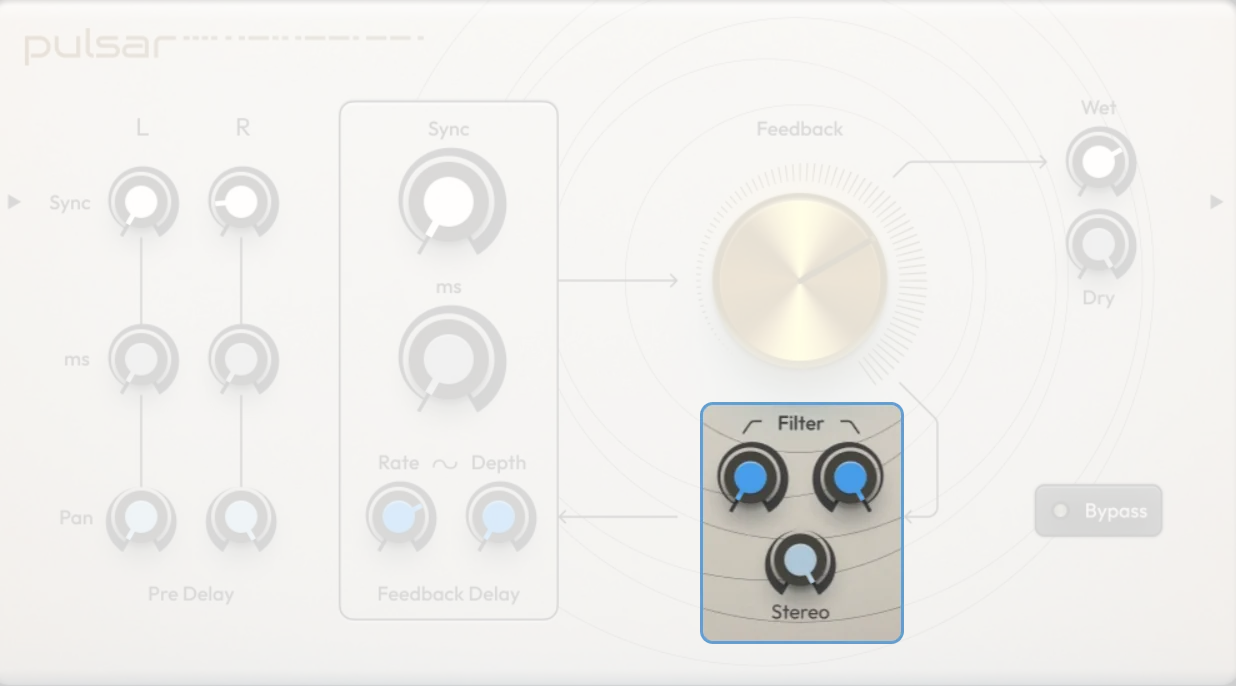
HP filter |
Highpass filter cutoff frequency (20-20000 Hz); removes frequencies below the set point |
|---|---|
LP filter |
Lowpass filter cutoff frequency (20-20000 Hz); removes frequencies above the set point |
Stereo Cross |
Controls channel swapping on each feedback cycle (0-100%). 0% = no swap, 50% = mono, 100% = fully swapped (ping-pong in feedback loop) |
Output
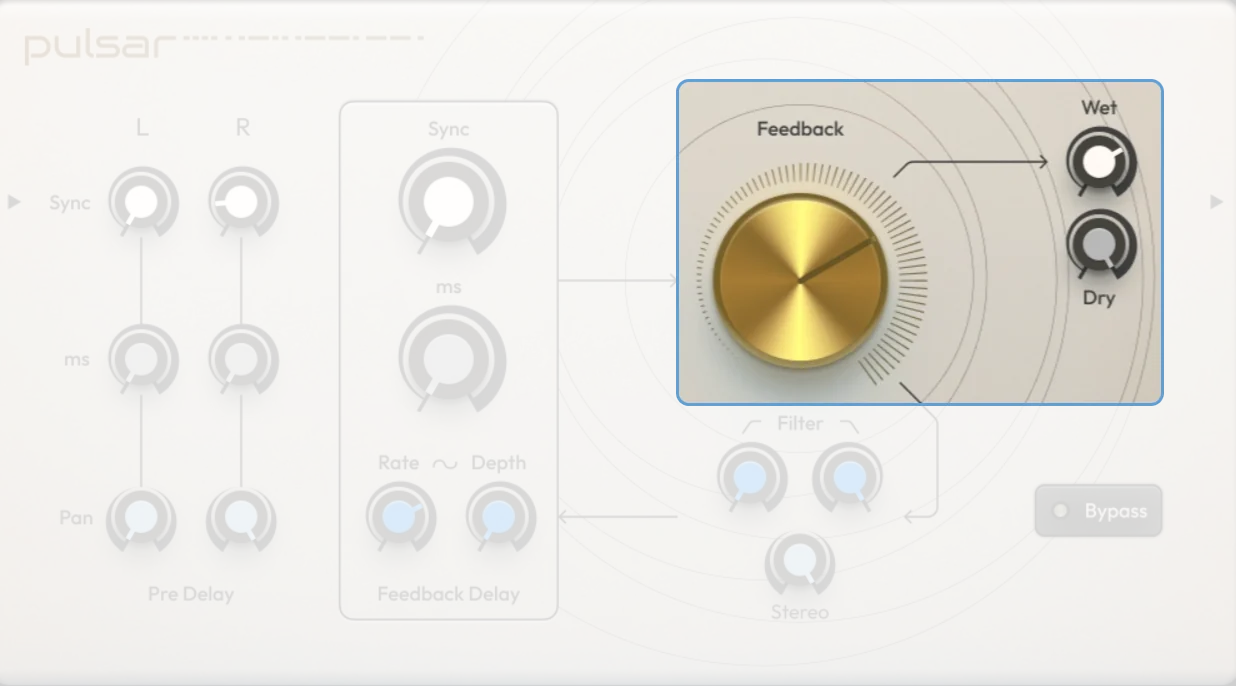
Dry |
Sets the level of the original (unprocessed) signal |
|---|---|
Wet |
Sets the level of the processed signal |
On/Off |
Activates or bypasses the effect |
Practical Tips
Practical Tips
Tempo-synced Echoes: Sync both pre-delay and feedback delay to the BPM for rhythmic effects that align with your track.
Ping Pong Delay: Use different pre-delay times and pan settings on left/right channels to bounce delays between speakers.
Dub Delay: Push feedback high and filter the loop for resonant, analog-style decay.
Stereo Ambience: Add subtle delay and use Stereo Cross for ping-pong effects in the feedback loop.
Sound Design: Modulate feedback delay time with Rate/Depth LFO for chorus, flanging, or pitch drift effects.
Use feedback carefully — high values can create infinite loops and even self-oscillation.
Automate the filter or Stereo Cross for evolving spatial effects.
Combine with other effects like reverb or distortion for advanced layering.