Beatbox 8
Essentials
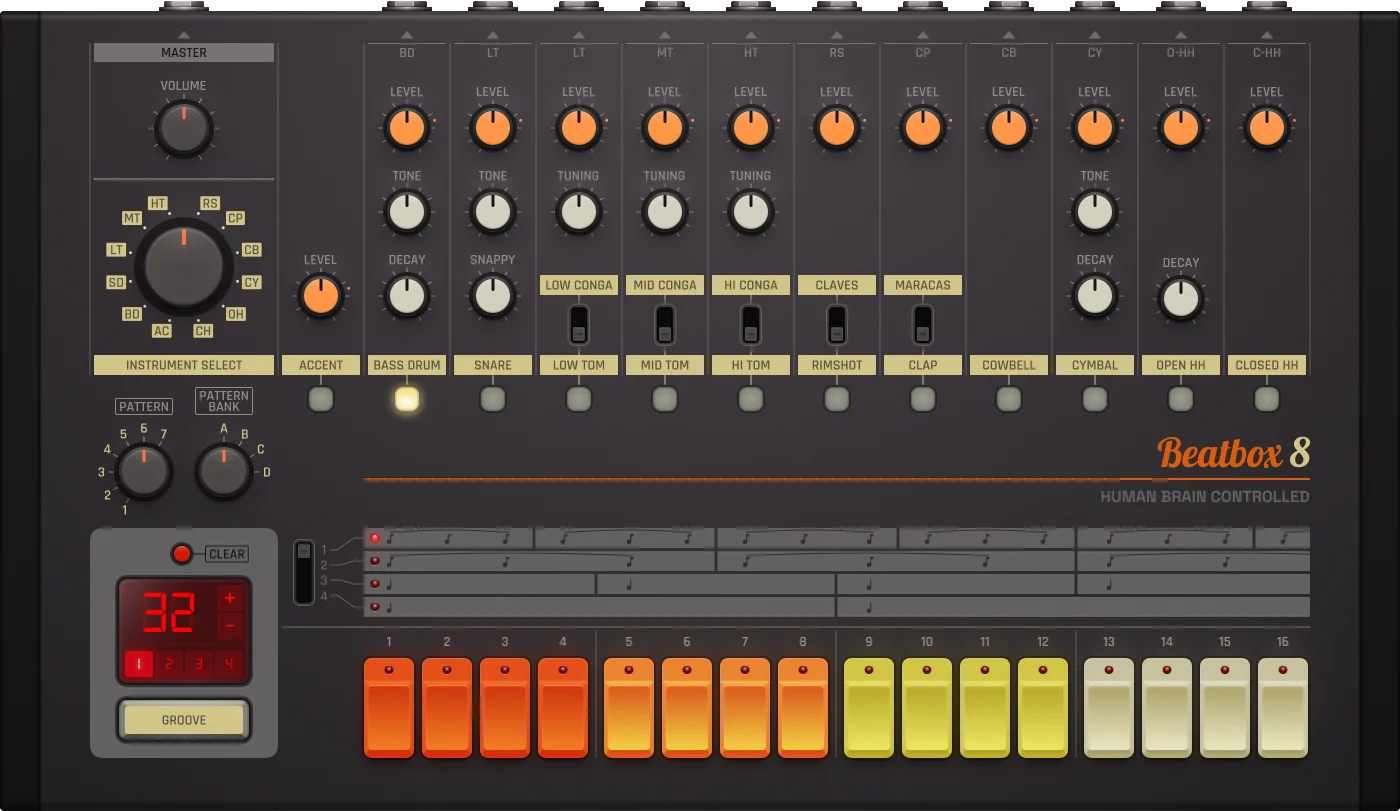
Beatbox 8 is a classic drum machine modeled after legendary hardware like the Roland TR-808. Fully loaded with warm, analog-style drum sounds and hands-on control over rhythm, tone, and groove.
16 built-in drum sounds
Step sequencer
Warm, analog-style sounds
Hands-on rhythm, tone, and groove control
Making a Beat
Beatbox 8 is a preset analog drum machine. It comes with 16 built-in drum sounds—you don’t load samples. Instead, you shape and sequence the classic sounds using onboard controls and a simple step sequencer.
Select Sound: Use the Instrument Select knob to pick a sound (e.g. Bass Drum).
Place Kick: Press steps 1, 5, 9, 13 to place the kick in a 4/4 pattern.
Add Snare: Select Snare and place it on steps 5 and 13.
Add Hi-Hats: Select Hi-Hat and place it on every step for a consistent rhythm.
Play: Press play and enjoy your first beat!
Pattern Editor
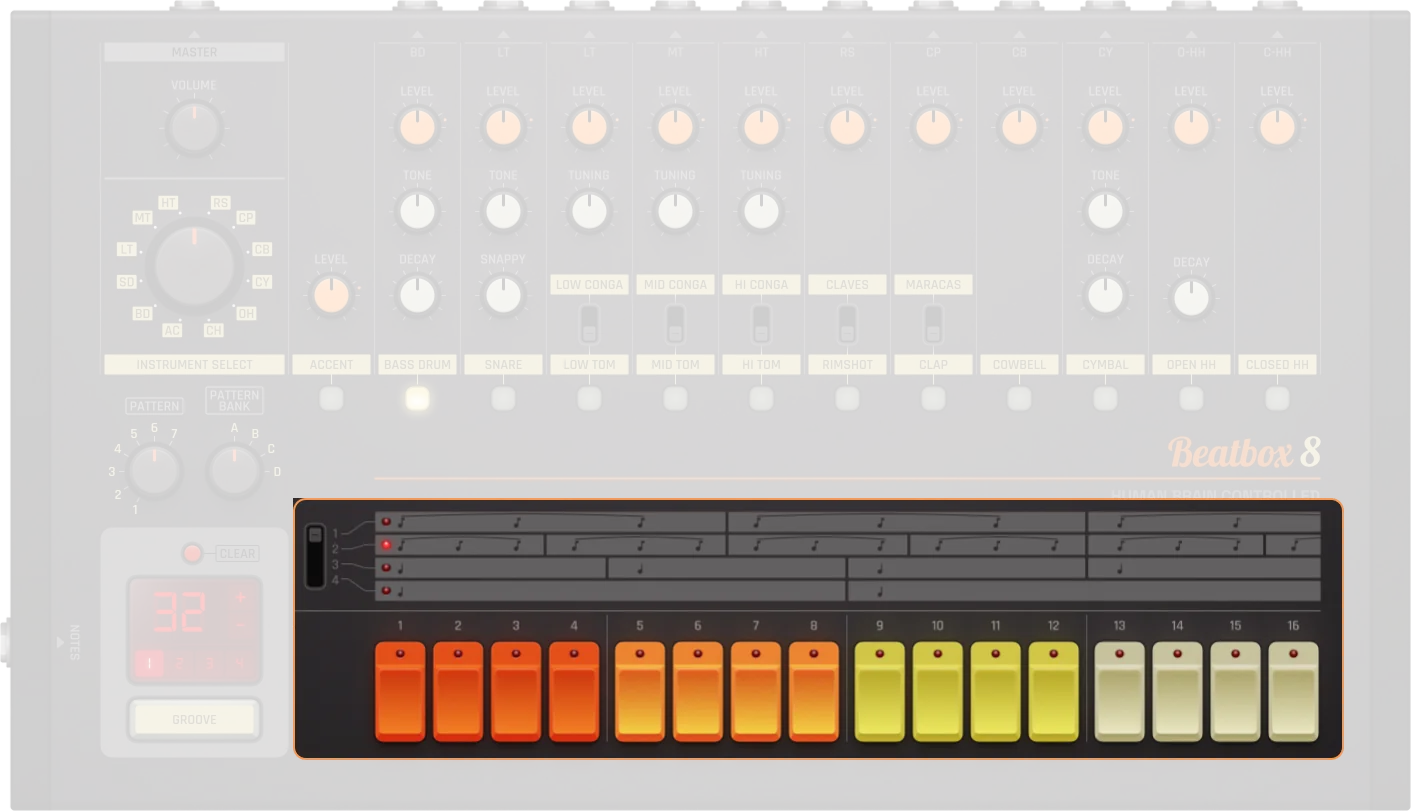
Scale |
Allows definition of what scale you want to work in |
|---|---|
Steps |
These buttons are where hits can be added to the pattern |
Pattern Management
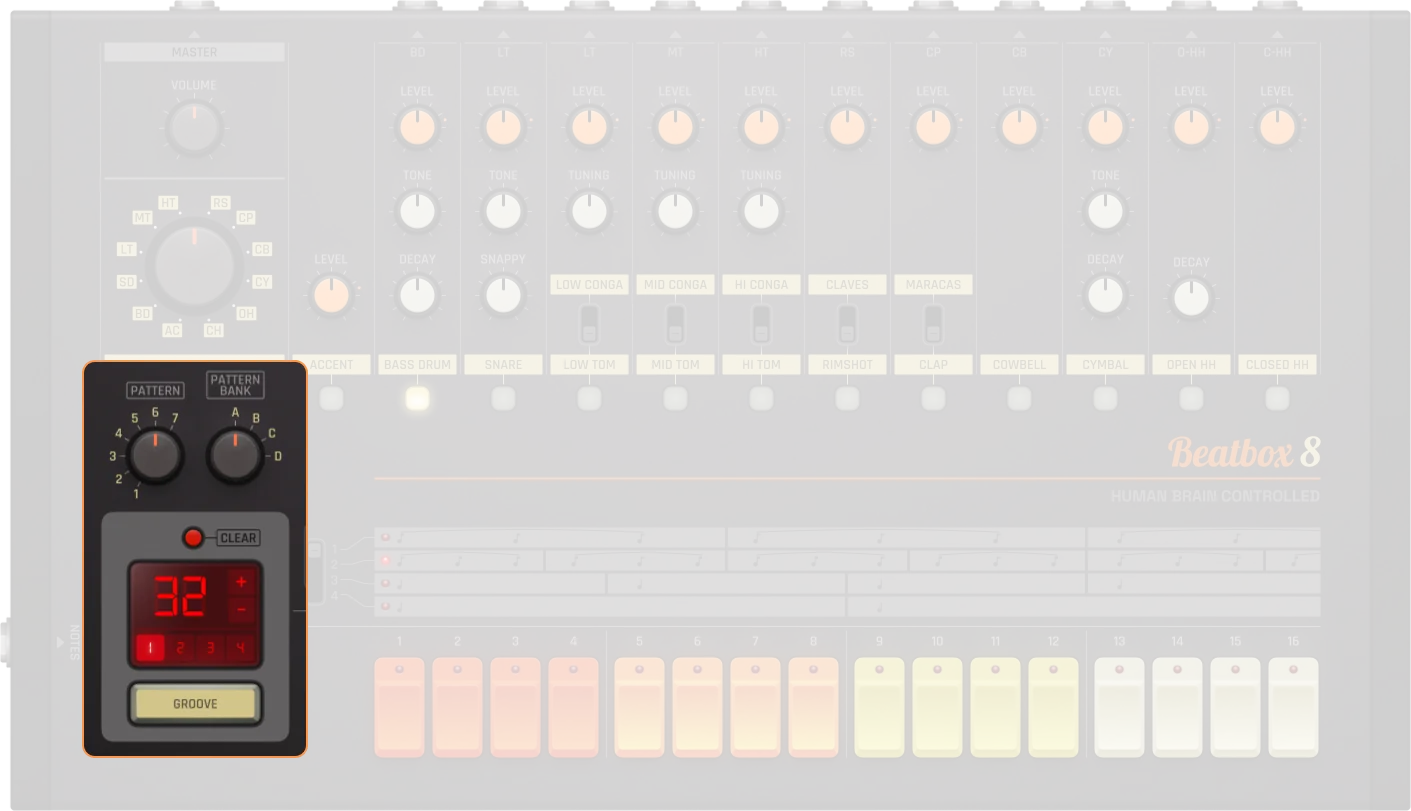
Pattern selector |
8 patterns per bank |
|---|---|
Pattern bank |
4 banks (A-D), 32 patterns total. Determines which pattern the Beatbox 8 currently plays back, unless a pattern track is connected |
Clear pattern |
Deletes the currently selected pattern |
Pattern length |
Displays the length of your sequence |
Pattern +/- |
Allow for the length of your sequence to be increased or decreased (Hold Shift to double/half steps) |
Groove |
Using the groove option will shuffle your pattern by selecting keynotes and moving notes in-between |
Edit range |
The sequencer contains 16 step buttons but allows for sequences up to 64 steps long |
Instruments
Instrument select |
Large wheel to toggle sequentially through the device’s different instruments |
|---|---|
Instrument label |
Displays which instrument is housed in each channel and doubles as a button to select instruments |
Instrument switch |
Instrument options:
|
Level |
Individual volume control for each instrument. Equivalent to a dB range of -∞ to 0 dB (0-100%) |
Decay |
Defines how much decay the selected instrument has (0-100%). 0% = shorter decay, 100% = longer decay |
Tone |
Changes the characteristics of the instrument (0-100%). 0% = lower tone, 100% = higher tone |
Snappy |
Allows definition of how much “snap” the snare has (0-100%). Controls the snare drum’s attack character |
Tuning |
Allows for fine tuning (Hold Shift + Cmd for ultra fine tuning). Available for: Toms and Congas (low/mid/high variants) |
Master
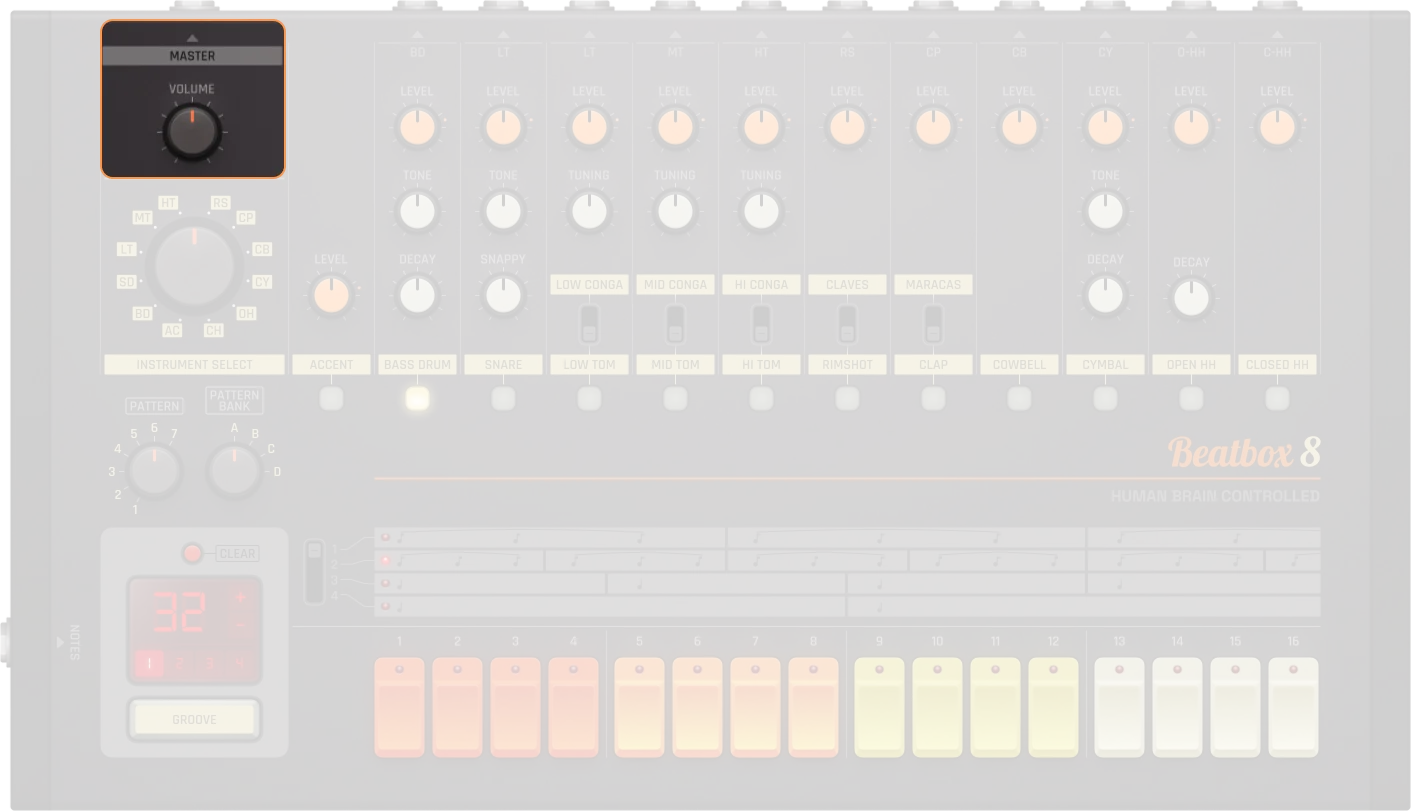
Volume |
Master volume control (0-100%). Equivalent to a dB range of -∞ to 0 dB |
|---|---|
On/Off |
Activates or bypasses the device. When off, no audio is produced |
Drum Sounds
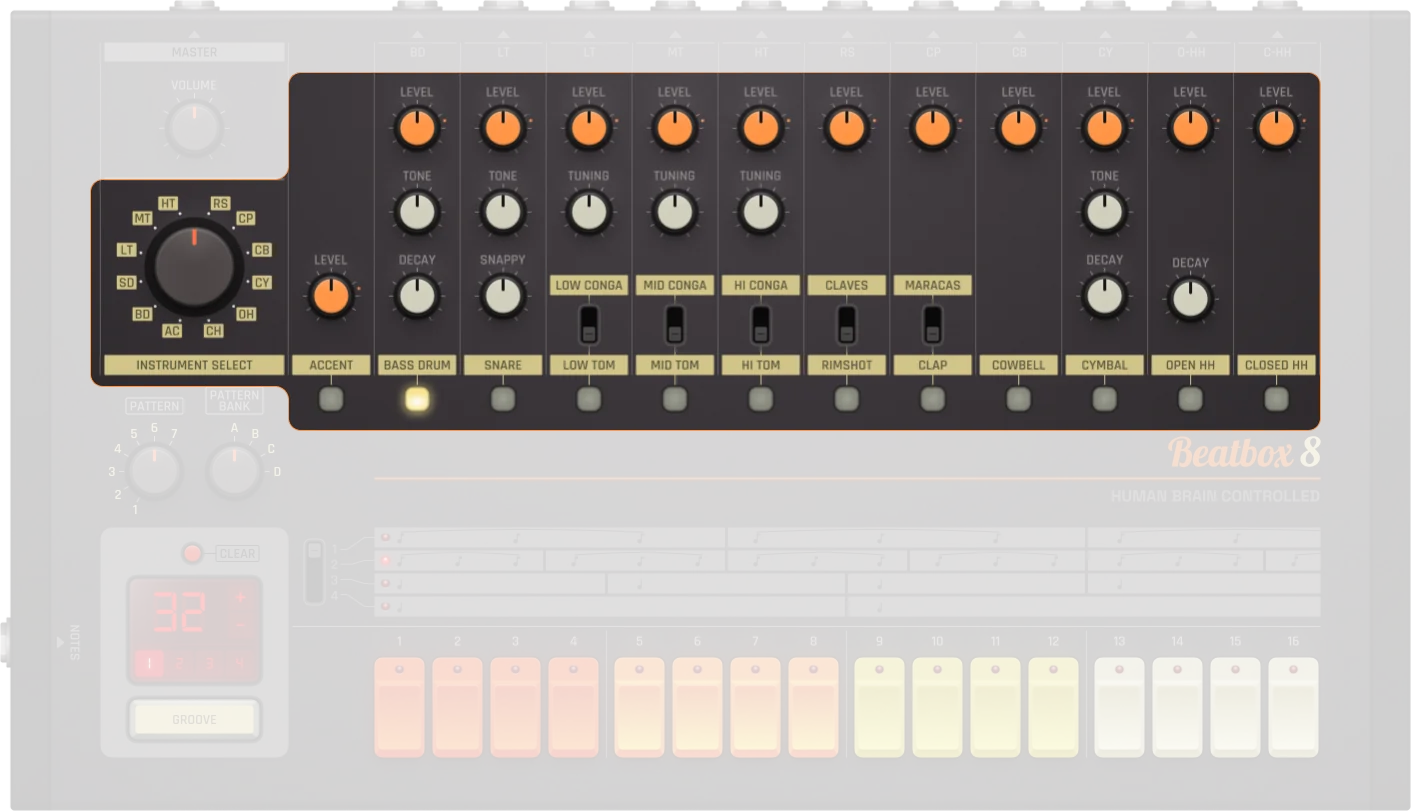
Beatbox 8 includes 16 different instruments going through 11 channels, meaning that some instruments share channels with other instruments.
Accent
Accent |
The accent feature allows for emphasis to be placed under selected steps in the sequence |
|---|---|
Accent level |
The strength of the accented steps can be defined by using the accent level control (0-100%). Controls the loudness of unaccented notes relative to accented ones. 0% = quieter unaccented notes, 100% = louder unaccented notes |
Bass Drum
Level |
Bass drum output gain. Equivalent to a dB range of -∞ to 0 dB (0-100%) |
|---|---|
Tone |
Bass drum tone/pitch (0-100%). Higher values make it sound higher |
Decay |
Decay time for the bass drum (0-100%). Lower values create shorter decay, higher values create longer decay |
Snare Drum
Level |
Snare drum output gain. Equivalent to a dB range of -∞ to 0 dB (0-100%) |
|---|---|
Tone |
Snare drum tone/pitch (0-100%). Higher values make it sound higher |
Snappy |
Snare snappiness, corresponding roughly to the amount of high-frequency content (0-100%). Controls the snare drum’s attack character |
Toms & Congas (Low/Mid/High)
Level |
Output gain. Equivalent to a dB range of -∞ to 0 dB (0-100%) |
|---|---|
Tuning |
Tuning/Pitch (0-100%). Higher values make it sound higher. Fine tuning available (Hold Shift + Cmd for ultra fine tuning) |
Rimshot & Claves
Level |
Output gain. Equivalent to a dB range of -∞ to 0 dB (0-100%) |
|---|---|
Instrument switch |
Switch between Rimshot or Claves |
Clap & Maracas
Level |
Output gain. Equivalent to a dB range of -∞ to 0 dB (0-100%) |
|---|---|
Instrument switch |
Switch between Clap or Maracas |
Cowbell
Level |
Cowbell output gain. Equivalent to a dB range of -∞ to 0 dB (0-100%) |
|---|
Cymbal
Level |
Cymbal output gain. Equivalent to a dB range of -∞ to 0 dB (0-100%) |
|---|---|
Tone |
Cymbal tone/pitch (0-100%). Higher values make it sound higher |
Decay |
Decay time for the cymbal (0-100%). Lower values create shorter decay, higher values create longer decay |
Open Hi-Hat
Level |
Open hi-hat output gain. Equivalent to a dB range of -∞ to 0 dB (0-100%) |
|---|---|
Decay |
Decay time for the open hi-hat (0-100%). Lower values create shorter decay, higher values create longer decay |
Closed Hi-Hat
Level |
Closed hi-hat output gain. Equivalent to a dB range of -∞ to 0 dB (0-100%) |
|---|
Practical Tips
Practical Tips
Use different pattern banks for song sections
Add accent for groove and variation
Extend patterns for fills and variation
Adjust decay for tight or open cymbals/hats
Combine with effects for advanced sound design
Although primarily a drum machine, Beatbox 8 can be utilized for purposes other than drums (e.g., effects can be layered to create analog-esque basslines)